
A Receipt Scanner and Budget App With No Bank Link and No Account
Short answer: ReceiptIQ AI is a receipt scanner and budget app that never links to your bank and needs no account. You photograph a receipt and the app reads every item, its price and its category; budgets, charts and export are built from those receipts, not from a bank feed. It runs on iPhone, iPad and Mac, and it is free for your first 30 AI scans.
By Xinzhou Liu, maker of ReceiptIQ AI · Updated November 27, 2026
Why some people skip bank linking
Most budget apps start by asking for your online-banking login, usually through a third-party connection service. That is a reasonable trade for some people, and a deal-breaker for others. The common reasons we hear:
- You would rather not hand your banking credentials to another company, even a well-run one.
- Coverage depends on your country. Open banking is still being rolled out in places such as Canada, so many banks and credit unions are only partly supported.
- Connections break: a bank changes its login, asks for a new verification, and the feed stops until you reconnect.
- A bank feed only sees one line per purchase ("SUPERSTORE $86.40"). It cannot tell the milk from the batteries.
ReceiptIQ AI is built the other way round. Linking a bank is not a missing feature; it is a permanent product decision.
How it works instead
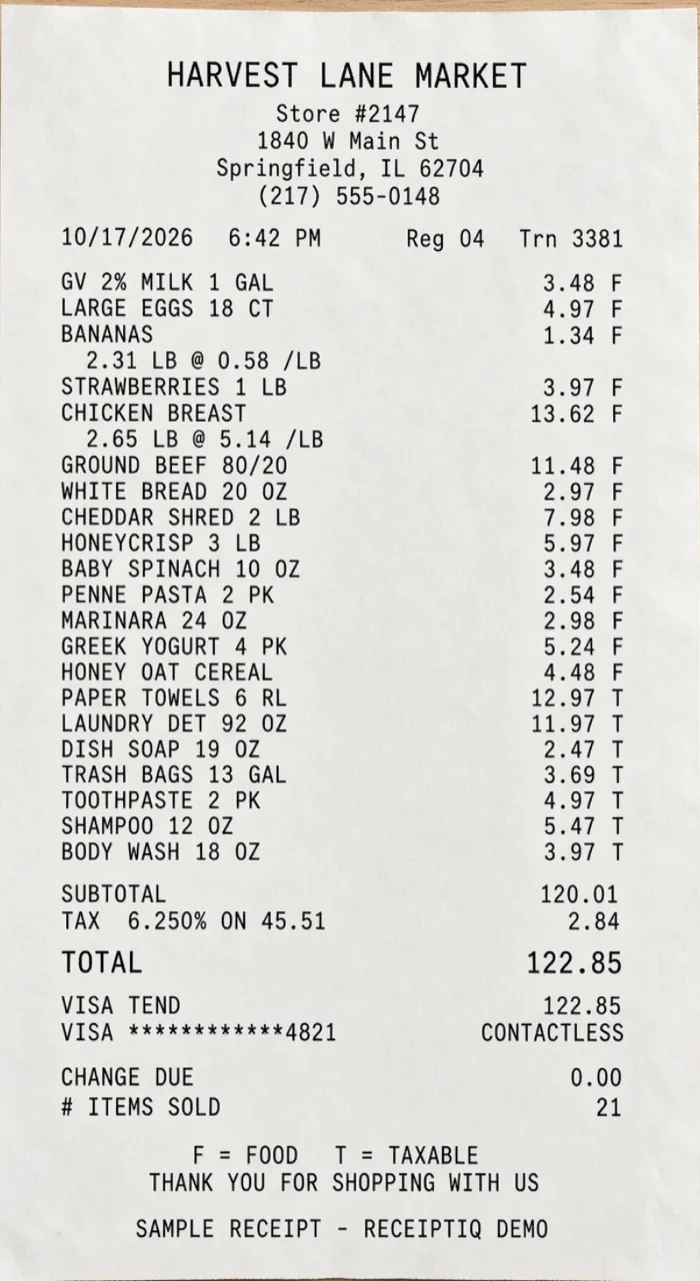
- Photograph a receipt. The app reads the store, the date, every item with its price, the tax and the total, and gives each item a category. A receipt in another currency is converted to your home currency.
- Import what you already have. Add a receipt as a PDF or photo, or forward an online order confirmation to your personal ReceiptIQ AI email address.
- Bring in a bank or card statement as a file. Choose a PDF (a photo works too) and the app lists the transactions (marked Beta). You pick the file; the app never logs in to your bank.
- Type anything else. Cash, a tip or a one-off payment can be entered by hand, and typed entries never use up a scan.
What you get without a bank feed
- Budgets per category, with a monthly or yearly period and a month that can start on payday.
- Bills & Subscriptions: what your recurring bills cost a month and a year, and the next charges.
- Charts and a spending calendar, plus a view of what you bought, item by item.
- CSV and PDF export: one row per receipt or per item, and a PDF report. See can I export my receipt data?
Privacy: what leaves your phone
There is no account, so there is nothing to sign in to and no profile of you on our side. To read a receipt, its photo and its text are sent securely to be read; the result goes straight back to your device and nothing is kept on our servers. The receipts and photos themselves are saved only on your own devices. Typing an entry in sends nothing. The details are in does ReceiptIQ AI upload my receipt photos? and the privacy policy. Scanning needs an internet connection; browsing, editing, budgets, charts and export work offline.
Family and several devices, with no server
ReceiptIQ family sharing syncs directly between your devices (iPhone, iPad and Mac): no server, no cloud copy, no account. It works for up to 4 devices, and one subscription covers everyone. Devices catch up when they are near each other with the app open. How it works: iPhone, iPad and Mac together.
Price
Every feature is free, with 30 AI scans for life and no card needed. After that, unlimited AI scans under fair use (at most 100 a day) cost $1.99 a month or $14.99 a year in the US; prices vary by country and are shown in the App Store in your currency. Subscriptions are handled by Apple and can be cancelled there at any time.
The honest limits
- With no bank feed, something has to be captured: a receipt photo, a forwarded email, a statement file or a typed entry. Purchases you never capture will not appear.
- Statement import is a Beta feature and is a one-off file import, not a live feed.
- Reading a receipt needs an internet connection, and a blurry photo or a cut-off line can occasionally need a quick correction by hand.
Frequently asked questions
Is there a receipt scanner and budget app that does not link to my bank account?
Yes. ReceiptIQ AI builds your expenses, categories and budgets from the receipts you photograph, forward by email or import as a PDF. It never asks for a bank login, never connects to a card, and needs no account, email address or password.
Do I need an account to use ReceiptIQ AI?
No. There is no sign-up, no sign-in and no email address to give. You download the app and start scanning; your receipts are saved on your own devices.
How do I get my bank or card spending in without linking?
Scan the receipt, forward an order confirmation to your personal ReceiptIQ AI email address, or import a bank or card statement yourself as a PDF or photo (marked Beta). The statement is a file you choose; the app never logs in to your bank.
Does it work across my iPhone, iPad and Mac without an account?
Yes. ReceiptIQ family sharing syncs directly between your devices (iPhone, iPad, Mac) with no server, no cloud copy and no account. It works for up to 4 devices, and one subscription covers everyone.
What happens to my receipt when I scan it?
To read a receipt, its photo and its text are sent securely to be read, and the result goes straight back to your device. Nothing is kept on our servers. The receipt and its photo are saved only on your own devices.
What does it cost?
Every feature is free, with 30 AI scans for life; typing entries in yourself is always free and does not count. After that, unlimited AI scans under fair use (at most 100 a day) cost $1.99 a month or $14.99 a year in the US. Prices vary by country.
Try ReceiptIQ AI free — your first 30 AI scans cost nothing, no account and no bank login.
Download on the App Store